
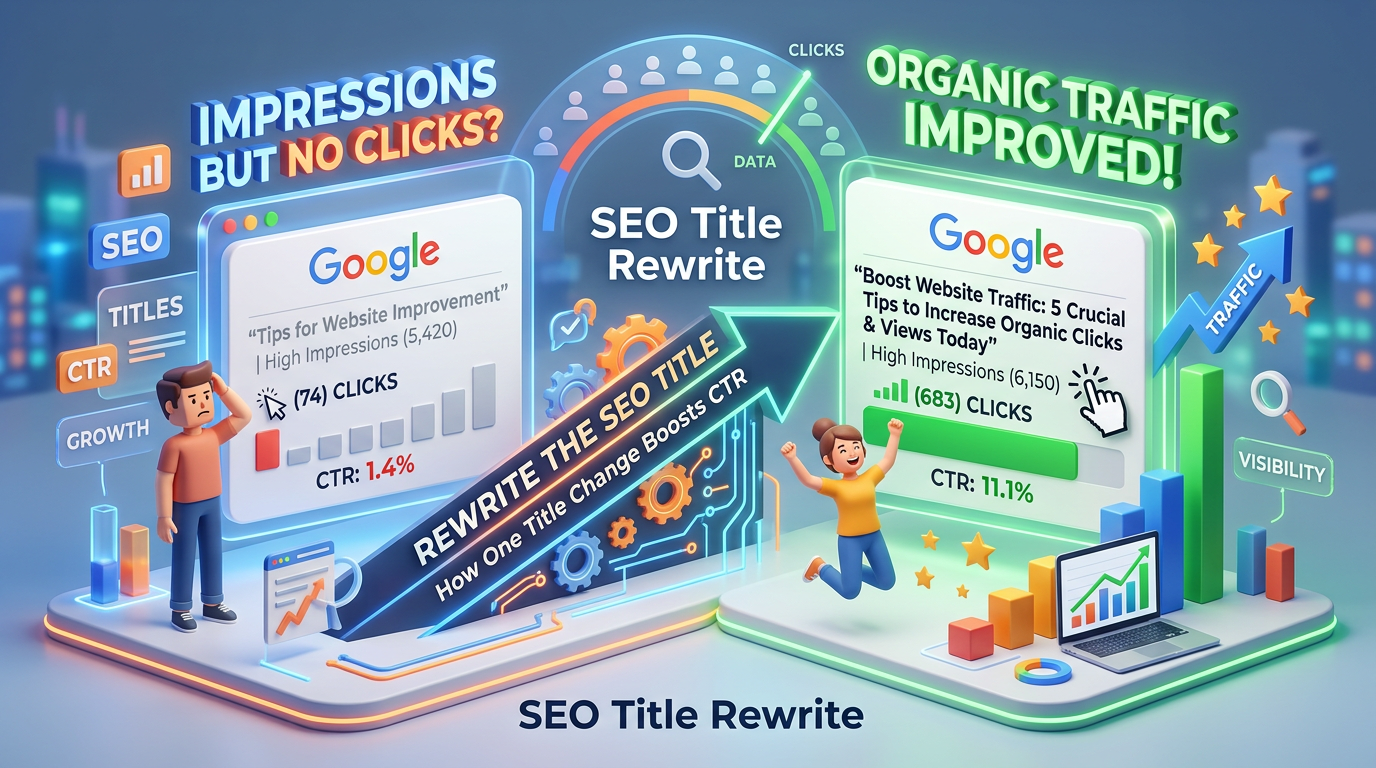
Impressions but No Clicks? How One SEO Title Rewrite Can Improve Your Organic Traffic
Your website is appearing in Google search results. People are seeing your page, but nobody is clicking.
You have impressions. You have rankings. But your organic traffic is not growing.
What is going wrong?
In many cases, the problem is not your keyword strategy or search ranking. It is your page title. A poorly written SEO title can make an otherwise valuable page invisible to potential visitors, even when Google is already showing it to the right audience.
The good news? Sometimes, a simple title rewrite can make a measurable difference without creating a new blog or building additional backlinks.
Let’s understand how to identify this problem and fix it using Google Search Console.
What Does It Mean When a Page Gets Impressions but No Clicks?
An impression occurs when your website appears in Google’s search results and meets Google’s impression-counting criteria.
A click happens when someone selects your search result and visits your website.
For example, imagine one of your blog pages has the following performance:
| SEO Metric | Performance |
|---|---|
| Total Impressions | 10,000 |
| Average Position | 5 |
| Total Clicks | 0 |
| Click-Through Rate (CTR) | 0% |
This indicates that Google is displaying your page, but users are not selecting it.
However, zero clicks do not automatically mean your title is the problem. Search intent, competition, SERP features, brand recognition and the type of query can also influence clicks.
The first step is to identify why people are ignoring your result.
Why Your Website Gets Impressions but No Clicks
There are several reasons why a page can receive impressions without generating meaningful organic traffic.
1. Your SEO Title Does Not Match Search Intent
Your title might contain the right keyword but fail to communicate what the user actually wants.
For example:
Weak Title: Digital Marketing Strategies
Improved Title: 10 Digital Marketing Strategies to Grow Your Business
The improved version communicates a clear benefit and tells users what they can expect.
When users search for specific information, they are more likely to click a result that directly addresses their requirement.
2. Your Primary Keyword Is Hidden
Google users scan search results quickly.
If the main search phrase appears at the end of your title, users may not immediately recognise that your page answers their query.
For example:
Weak Title: Everything You Need to Know About Improving Your Website’s Search Performance
Improved Title: Website SEO Tips: 10 Ways to Improve Google Rankings
Placing the primary keyword closer to the beginning can improve relevance and make the title easier to understand.
3. Your Competitors Have More Compelling Titles
Your page might rank fifth, but the results above and below yours may have more attractive titles.
Compare these examples:
- Result A: SEO Guide
- Result B: How to Improve SEO Rankings in 2026
- Your Result: Search Engine Optimisation Information
Even when the content is useful, an unclear title can reduce the likelihood of receiving clicks.
Your title needs to communicate relevance, value and clarity.
4. Your Meta Description Does Not Encourage Action
The meta description gives users additional context about your page.
A generic description may not provide enough information to convince someone to visit your website.
For example:
Weak Description: Learn more about SEO and digital marketing.
Improved Description: Discover practical SEO techniques to improve Google visibility, increase organic traffic and optimise your website for better search performance.
Google may generate a different search snippet depending on the query, so your written meta description is not guaranteed to appear exactly as submitted.
How to Identify Pages with High Impressions and Low CTR Using Google Search Console
Google Search Console is one of the most useful free tools for identifying SEO opportunities.
You do not need an expensive SEO platform to start this analysis.
Follow these steps.
Step 1: Open Google Search Console
Visit Google Search Console and select your website property.
Navigate to:
Performance → Search Results
You will find important metrics, including:
- Total Clicks
- Total Impressions
- Average CTR
- Average Position
Enable all four metrics to understand how your pages are performing.
Step 2: Identify Pages with High Impressions and Low CTR
Select the Pages tab to see individual URL performance.
Look for pages that have:
- High impressions
- Low click-through rates
- Average positions around the first page of Google
- Fewer clicks than expected
For example, a page receiving 8,000 impressions with an average position of 5 but a very low CTR deserves further investigation.
Remember that CTR varies significantly depending on the search query and SERP layout. Compare similar queries and positions rather than applying one universal CTR benchmark.
Step 3: Analyse the Actual Search Queries
Click on the individual page URL and navigate to the Queries tab.
This reveals the search terms through which people discover your page.
Check whether:
- Your primary keyword matches the page title.
- Users are searching for a different variation of your target keyword.
- Your page is appearing for irrelevant queries.
- The title clearly answers the searcher’s question.
This step helps you understand what users actually want before changing your title.
Step 4: Compare Your Title with Competitors
Search for your target keyword in Google.
Analyse the top-ranking results.
Look at:
- Keyword placement
- Title clarity
- Search intent
- Content format
- Specific benefits
- Year or updated information, where relevant
Do not simply copy competitor titles. Identify what makes their results attractive and create a more relevant title for your own content.
How to Rewrite Your SEO Title to Improve Click-Through Rate
Once you identify a page with a title problem, focus on improving its relevance and clarity.
Here is a practical title optimisation formula:
Primary Keyword + Specific Benefit + User Intent
For example:
| Before | After |
|---|---|
| GST Registration Guide | GST Registration Online: Step-by-Step Guide for Businesses |
| SEO Tips | 10 Practical SEO Tips to Improve Website Visibility |
| Startup Funding | Startup Funding in India: A Guide for New Founders |
| Income Tax Filing | Income Tax Filing Guide: Steps, Documents and Due Dates |
A good SEO title should:
- Include the primary keyword naturally.
- Communicate the page’s main benefit.
- Match the search intent.
- Avoid unnecessary keyword repetition.
- Be unique across your website.
- Remain concise and descriptive.
Does an SEO Title Need to Be Under 60 Characters?
Around 50–60 characters is a useful editorial guideline, not a strict Google ranking requirement.
Google does not enforce a universal 60-character title limit. Search titles can be truncated or rewritten depending on available display space, device width and other factors.
Focus on placing the most important information near the beginning rather than blindly counting characters.
How to Optimise Your Meta Description for More Clicks
Your title attracts attention, but your meta description provides another opportunity to convince users.
A good meta description should explain what the page offers and why it is worth visiting.
Use this simple structure:
Problem + Solution + Benefit + Action
Example:
Primary Keyword: Website SEO Audit
Meta Description: Discover how a website SEO audit identifies technical errors, content gaps and ranking opportunities. Follow our practical checklist to improve search visibility. Start optimising today.
Best practices include:
- Write a unique description for every important page.
- Include the primary keyword naturally.
- Explain what users will learn.
- Highlight a meaningful benefit.
- Add a relevant action where appropriate.
- Avoid keyword stuffing and misleading claims.
How Long Should You Wait After Changing an SEO Title?
Changing a title does not guarantee an immediate increase in clicks.
Google needs to recrawl and process the updated page before the new title may appear in search results.
A practical monitoring process is:
- Update the SEO title and meta description.
- Check that the updated page is accessible to Google.
- Use URL Inspection to request indexing if appropriate.
- Allow time for Google to recrawl the page.
- Monitor performance over the following two weeks and beyond.
- Compare the results against the previous period.
For a meaningful comparison, use the same number of days and account for differences in weekdays, seasonality and search demand.
Track these metrics:
| Metric | What to Monitor |
|---|---|
| Impressions | Is search visibility stable? |
| Clicks | Are more users visiting? |
| CTR | Is the percentage of clicks improving? |
| Average Position | Has ranking changed? |
| Search Queries | Are relevant queries generating clicks? |
Avoid changing multiple SEO elements simultaneously. Otherwise, it becomes difficult to identify which change influenced the results.
Common SEO Title Optimisation Mistakes to Avoid
While rewriting titles, avoid these mistakes:
1. Keyword Stuffing: Repeating the same keyword multiple times makes titles unnatural.
2. Misleading Headlines: Do not promise information that the page does not provide.
3. Duplicate Titles: Multiple pages with identical titles can make it difficult for users to distinguish between them.
4. Ignoring Search Intent: A title targeting informational searches should not read like a sales advertisement.
5. Changing Titles Too Frequently: Give Google time to process changes and collect meaningful performance data.
6. Ignoring Mobile Search Results: Make sure the most important information appears early enough to remain visible across different screen sizes.
Can AI-Powered SEO Help Identify Pages That Need Title Rewriting?
Yes. AI-powered SEO tools can make the process of identifying and prioritising underperforming pages more efficient.
Instead of manually checking hundreds of URLs, AI-assisted workflows can help:
- Analyse Google Search Console performance exports.
- Identify high-impression, low-CTR pages.
- Group queries according to search intent.
- Find missing primary keywords in page titles.
- Generate alternative SEO title suggestions.
- Identify duplicate or poorly structured titles.
- Recommend internal linking opportunities.
However, AI-generated titles should always be reviewed before publishing.
The objective is not to create titles that simply contain more keywords. It is to create titles that accurately communicate the value of your content to the right audience.
Conclusion: Your Next SEO Opportunity May Already Be on Google
Not every SEO problem requires publishing another blog, creating more backlinks or targeting additional keywords.
Sometimes, your website already has the visibility it needs. The missing element is the reason users should click your result.
Start with Google Search Console. Identify pages with high impressions and low CTR, investigate their actual search queries, compare competing results and rewrite titles based on search intent.
Then monitor the results using consistent date ranges.
Remember: Ranking gets your page seen. A relevant, compelling title gives users a reason to click.
If you want to improve your organic traffic, start by optimising the pages that are already receiving impressions.


Leave a Reply