
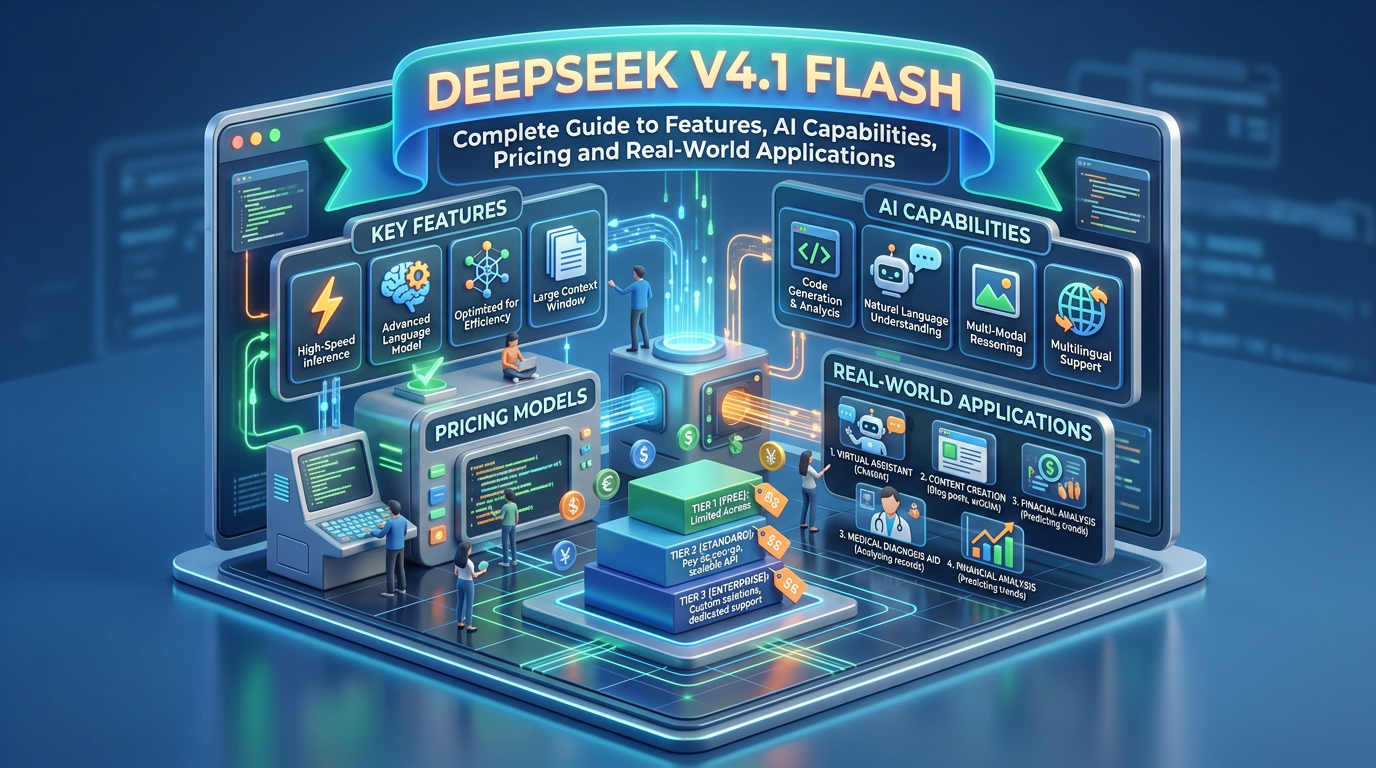
DeepSeek V4.1 Flash: Complete Guide to Features, AI Capabilities, Pricing and Real-World Applications
Artificial intelligence is evolving rapidly, and newer AI models are becoming faster, more capable and more affordable. One interesting development is DeepSeek V4.1 Flash, an advanced AI model developed by DeepSeek, designed to deliver strong reasoning, coding, visual understanding and AI agent capabilities while reducing computational costs.
Unlike traditional AI chatbots that primarily focus on answering questions, DeepSeek V4.1 Flash is designed to support more complex workflows, including software development, document analysis, automation and multimodal applications.
Its architecture combines a massive Mixture-of-Experts (MoE) model with efficient parameter activation and an extended context window of up to one million tokens.
But what makes DeepSeek V4.1 Flash different? Can it replace other AI tools? Is it suitable for businesses, developers, freelancers and content creators?
Let’s explore everything you need to know.
What Is DeepSeek V4.1 Flash?
DeepSeek V4.1 Flash is an advanced multimodal AI model developed by DeepSeek.
Officially released on September 10, 2026, it belongs to DeepSeek’s V4 model family. It is designed to handle complex reasoning, programming, visual understanding and agent-based tasks with improved computational efficiency.
The model uses a Mixture-of-Experts architecture, allowing it to activate only a fraction of its total parameters for individual processing tasks.
This helps reduce computational requirements while maintaining strong performance.
Key highlights:
- 552 billion total backbone parameters.
- 8 billion active parameters during input processing (prefill).
- 16 billion active parameters during output generation (decode).
- Up to 1 million tokens of context.
- Native image and text input support.
- Advanced coding and reasoning capabilities.
- Designed for AI agents and automated workflows.
- Open-source model weights under the MIT licence.
DeepSeek also introduced an updated version called DeepSeek-V4.1-Flash-1017 on October 17, 2026, bringing further improvements in performance, runtime and output efficiency. DeepSeek+2
What’s New in DeepSeek V4.1 Flash 1017?
The October 17 update is particularly important because it improves the original V4.1 Flash model rather than introducing an entirely separate model family.
The updated version focuses on three areas:
- Better benchmark performance: Improvements across coding, reasoning, software development and agent-based tasks.
- Faster task completion: Optimisations reduce runtime for supported workloads.
- Shorter outputs: More efficient responses can reduce the number of output tokens required for certain tasks.
The updated model is available through DeepSeek’s website, mobile application and API.
The API model identifier remains deepseek-flash. You do not need a different API name to access the latest version. DeepSeek API Docs+1
How Does DeepSeek V4.1 Flash Work?
To understand its capabilities, it helps to understand three important technologies behind the model.
1. Mixture-of-Experts (MoE) Architecture
DeepSeek V4.1 Flash uses a Mixture-of-Experts architecture with 552 billion backbone parameters.
Instead of activating every parameter for every task, the model selectively activates relevant expert networks.
For example:
- A coding question activates the relevant computational pathways.
- A reasoning task uses the model’s specialised processing capabilities.
- A document-analysis task processes the supplied information efficiently.
The model activates approximately 8 billion parameters during prefill and 16 billion during decoding.
This approach helps balance model capability, speed and computational efficiency.
2. Causal Encoder-Decoder Architecture
One of the major architectural innovations is its Causal Encoder-Decoder (CED) design.
It separates input processing from output generation into two stages:
- Encoder: Processes the incoming prompt and builds representations of the information.
- Decoder: Generates the response based on the processed information.
This architecture helps reduce the computational and memory requirements associated with processing long prompts.
3. KV Cache Compression
KV cache stores information about previously processed tokens so that the model can use it during subsequent generation.
Large KV caches can create significant memory and storage requirements, particularly when AI agents work with lengthy conversations or documents.
DeepSeek V4.1 Flash introduces improved cache compression techniques.
Compared with the previous V4 Flash generation, its global KV cache requires approximately:
- One-fourth of the HBM memory.
- One-eighth of the persistent SSD storage.
This is particularly useful for long-context AI applications and agentic workflows. Hugging Face+2
Top Features of DeepSeek V4.1 Flash
Let’s explore the features that make this AI model interesting for everyday users, developers and businesses.
1. One Million Token Context Window
One of its biggest advantages is its 1-million-token context window.
A context window determines how much information an AI model can process within a conversation or request.
With a large context window, users can work with:
- Long research documents.
- Large codebases.
- Business reports.
- Multiple policy documents.
- Technical manuals.
- Extensive project documentation.
Example: A business owner can provide several months of business reports and ask the model to identify trends, compare performance and summarise important findings.
However, a large context window does not guarantee perfect recall or accuracy. Important information should still be checked against the original documents.
2. Native Multimodal Vision Understanding
DeepSeek V4.1 Flash supports both text and image inputs.
This means users can provide an image alongside a written question and ask the model to analyse it.
Possible applications include:
- Reading text from screenshots.
- Understanding charts and graphs.
- Analysing diagrams.
- Extracting information from images.
- Explaining user-interface screenshots.
- Understanding visual information.
Example: Upload a screenshot of a spreadsheet and ask the model to identify unusual figures or explain the trends.
The model generates text responses; its documented input modalities are text and images, not video. DeepSeek API Docs+1
3. Advanced Coding Capabilities
DeepSeek V4.1 Flash is designed to support software development and coding workflows.
It can help developers with:
- Writing Python, JavaScript and other programming languages.
- Debugging code.
- Explaining programming concepts.
- Generating SQL queries.
- Building website components.
- Reviewing existing code.
- Understanding large codebases.
- Developing and testing software projects.
The October 2026 update also highlights improvements in end-to-end project development, including interactive games and 3D modelling projects.
Example prompt:
“Build a responsive business website with a homepage, services page, contact form and mobile-friendly navigation. Use clean HTML, CSS and JavaScript.”
The model can assist with generating the code and refining the project through subsequent instructions.
Remember that generated code should be tested, security-reviewed and checked before deployment. DeepSeek API Docs+1
4. Advanced Reasoning and Problem-Solving
DeepSeek V4.1 Flash supports configurable reasoning effort.
The API documentation lists three reasoning levels:
- Low
- High
- Max
Users and developers can select the appropriate level depending on the complexity of the task.
For example:
- Low: Simple questions, summaries and straightforward tasks.
- High: Research, analytical work and regular coding tasks.
- Max: More complex reasoning and challenging problem-solving.
Higher reasoning effort can involve additional computation and latency, so it is sensible to select it based on the task rather than use it everywhere. DeepSeek API Docs+1
5. AI Agent and Automation Support
AI agents are systems that can perform multi-step tasks using models, tools and external applications.
DeepSeek V4.1 Flash is designed with agentic workflows in mind.
Potential applications include:
- Automated coding workflows.
- Research and information gathering.
- Multi-step task execution.
- Software testing assistance.
- Tool-based business workflows.
- Data processing and analysis.
Its API supports tool calls, allowing developers to connect the model with external tools and services.
However, the model itself does not automatically have access to every external application. Developers must configure the relevant integrations and permissions.
6. Structured Output and API Integration
Developers can use DeepSeek V4.1 Flash to generate structured responses.
This is useful when AI output needs to be consumed by another application.
For example, a customer-support system could ask the model to classify incoming messages into categories such as:
- Billing enquiry.
- Technical support.
- Refund request.
- Product information.
- General enquiry.
The application can then process the structured output automatically.
The official API documentation also lists JSON output, tool calls and Responses API support. DeepSeek API Docs+1
DeepSeek V4.1 Flash Benchmark Performance
Benchmarks are useful for understanding how an AI model performs on specific tasks.
DeepSeek publishes results across reasoning, programming, software engineering, automation and visual understanding benchmarks.
Some results for the October 17, 2026 update include:
| Benchmark | Reported score |
|---|---|
| HLE (without tools) | 42.6 |
| Terminal-Bench 4.0 | 42.3 |
| DeepSWE v1.1 | 77.0 |
| ProgramBench | 29.1 |
| NL2Repo-Bench | 68.2 |
| Automation-Bench v1.0.6 | 60.5 |
| Agents’ Last Exam | 35.4 |
| Apex Bench v1.1 | 72.1 |
| Chartography (with tools) | 83.0 |
| BabyVision (with tools) | 92.5 |
These scores are reported by DeepSeek. Benchmark results depend on the evaluation setup, tools, framework and testing methodology.
They should not be interpreted as a guarantee that the model will outperform every competing AI model in every real-world situation. DeepSeek API Docs
How to Access DeepSeek V4.1 Flash
There are several ways to access the model, depending on whether you want to use it for personal tasks or build an application.
1. Through the DeepSeek Website
You can access DeepSeek through its official website.Visit DeepSeek AI Chat
Typical uses include:
- Asking questions.
- Writing content.
- Summarising information.
- Solving problems.
- Getting coding assistance.
- Analysing supported image inputs.
The official web and app models were updated to the October 17 version.
2. Through the DeepSeek Mobile App
You can also access DeepSeek through its mobile application.
The app is useful for people who want AI assistance while travelling, studying, working or managing everyday tasks.
Always download the application through an official app-store listing and verify the publisher.
3. Through the DeepSeek API
Developers can integrate DeepSeek V4.1 Flash into websites, applications, software and automation systems.
Official API documentation:DeepSeek API Documentation
The current model identifier is:
deepseek-flash
The API base URL is:
The API supports OpenAI-compatible and Anthropic-compatible integration formats. DeepSeek API Docs+1
DeepSeek V4.1 Flash API Pricing
One of the main attractions of DeepSeek V4.1 Flash is its relatively low API pricing.
Unlike subscription-based AI tools, API usage is billed according to the number of input and output tokens processed.
Official pricing as checked on November 3, 2026. Prices are in USD per one million tokens.
| API usage | Off-peak | Peak |
|---|---|---|
| Input – cache miss | $0.15 | $0.30 |
| Input – cache hit | $0.003 | $0.006 |
| Output tokens | $0.60 | $1.20 |
What is cache hit and cache miss?
- Cache miss: The model processes input that is not available in its reusable prompt cache.
- Cache hit: Previously processed input is found in the cache and billed at a significantly lower rate.
This can make repeated tasks more economical, especially when applications reuse long system instructions or document context.
When is off-peak pricing available?
DeepSeek’s official pricing schedule defines peak hours as:
- 01:00–04:00 UTC, Monday to Friday.
- 06:00–10:00 UTC, Monday to Friday.
All other hours are off-peak, including weekends and Chinese public holidays.
Off-peak pricing is 50% lower than peak pricing.
For Indian users, the peak windows correspond to 6:30 AM–9:30 AM and 11:30 AM–3:30 PM IST, Monday to Friday, excluding the specified Chinese public holidays.
The model is billed according to actual token usage. API charges are separate from any third-party platform or application subscription fees. DeepSeek API Docs
How to Use DeepSeek V4.1 Flash API
You can integrate DeepSeek into your own applications using a compatible programming environment.
Here is a basic Python example using the OpenAI SDK.
Step 1: Create an API Account
Visit the official DeepSeek API platform:DeepSeek API Platform
Create an account and generate an API key.
Step 2: Install the OpenAI Python Library
Open your terminal and execute:
pip install openai
Step 3: Configure the API
Use the following example:
from openai import OpenAIimport osclient = OpenAI( api_key=os.environ["DEEPSEEK_API_KEY"], base_url="https://api.deepseek.com")response = client.chat.completions.create( model="deepseek-flash", messages=[ { "role": "user", "content": "Explain artificial intelligence in simple terms." } ])print(response.choices[0].message.content)
Step 4: Test Your Application
Once configured, you can send prompts and receive responses through your application.
You can extend this integration to support customer support, content generation, data analysis and automated workflows.
Important: Keep your API key confidential. Store it in environment variables or a secure secrets manager instead of embedding it in publicly accessible website code.
DeepSeek V4.1 Flash vs DeepSeek V4 Pro
DeepSeek offers different model options for different workloads.
| Feature | V4.1 Flash | V4 Pro |
|---|---|---|
| Model type | Efficient multimodal MoE | Larger MoE |
| Total context | 1 million tokens | 1 million tokens |
| Image input | Yes | No |
| Text input | Yes | Yes |
| Coding | Advanced | Advanced |
| Tool calling | Yes | Yes |
| API model name | deepseek-flash | deepseek-v4-pro |
| Primary focus | Speed and cost efficiency | More demanding reasoning and tasks |
Which one should you choose?
Choose DeepSeek V4.1 Flash if you need:
- Affordable AI API integration.
- Image and text understanding.
- High-volume AI applications.
- Coding and automation assistance.
- Long-document processing.
Consider DeepSeek V4 Pro if your application needs its particular capabilities for demanding text-based reasoning tasks.
One important distinction: V4 Pro does not support vision input according to the current official model documentation.
Also, although DeepSeek’s earlier announcements discussed phasing out V4 Pro, the current pricing documentation still lists it as an available API model. DeepSeek API Docs+1
Practical Uses of DeepSeek V4.1 Flash
The model can be useful across different industries and professional activities.
1. For Students
Students can use DeepSeek to:
- Understand difficult academic topics.
- Summarise lengthy study materials.
- Generate practice questions.
- Explain mathematical concepts.
- Assist with programming assignments.
- Analyse educational diagrams.
It is important to use AI as a learning assistant rather than submit unverified AI-generated answers as original academic work.
2. For Freelancers
Freelancers can use DeepSeek to improve productivity.
Examples include:
- Generating website code.
- Researching client requirements.
- Creating content outlines.
- Debugging programming errors.
- Preparing project documentation.
- Automating repetitive tasks.
3. For Content Creators
Content creators can use it for:
- Blog topic research.
- SEO content outlines.
- YouTube video scripts.
- Social media captions.
- Content repurposing.
- Competitor content analysis.
- Reviewing screenshots and visual references.
For factual content, always verify statistics, dates, legal information and product claims before publishing.
4. For Small Businesses
Small businesses can integrate the API into their existing systems.
Potential applications include:
- Customer enquiry classification.
- Automated FAQ assistants.
- Product description generation.
- Internal document search.
- Sales report summaries.
- Customer feedback analysis.
- Workflow automation.
5. For Software Developers
Developers can use the model for:
- Code generation.
- Software debugging.
- Application prototyping.
- Repository analysis.
- Automated testing assistance.
- Building AI-powered applications.
- Multi-step coding workflows.
6. For Data Analysts
The model can help with:
- Explaining datasets.
- Generating SQL queries.
- Interpreting charts.
- Summarising reports.
- Identifying potential anomalies.
- Creating data-analysis scripts.
Always validate numerical calculations and analytical conclusions against the original data.
Can You Run DeepSeek V4.1 Flash Locally?
Yes, DeepSeek has released its model weights publicly under the MIT licence.
The model is available through its official Hugging Face repository.Download DeepSeek V4.1 Flash 1017
However, there is an important distinction between downloading model weights and running the model efficiently.
DeepSeek V4.1 Flash has 552 billion backbone parameters. Its full model checkpoint requires substantial computing, memory, storage and compatible inference infrastructure.
It is not a lightweight model that can simply be installed and comfortably run on an ordinary laptop.
For most individual users and small businesses, accessing the hosted API is a more practical starting point.
Larger organisations with suitable GPU infrastructure can explore self-hosting and optimised inference deployments.
Is DeepSeek V4.1 Flash Open Source?
DeepSeek has published the model weights and technical report under the MIT licence.
This allows developers to explore, modify and deploy the model subject to the licence terms.
The availability of open weights provides opportunities for:
- AI research.
- Custom model deployment.
- Enterprise AI development.
- Integration into existing software.
- Community-driven inference optimisation.
However, open model weights do not automatically mean that API access, hosting, GPU infrastructure or commercial deployment is free.
You should also review the licence, model documentation and applicable data-protection requirements before commercial deployment. Hugging Face
Limitations of DeepSeek V4.1 Flash
Despite its capabilities, DeepSeek V4.1 Flash is not perfect.
Before adopting it for business or professional use, consider the following limitations.
1. AI Hallucinations
Like other generative AI models, it can produce incorrect or misleading information.
Always verify important facts, calculations, research findings and technical recommendations.
2. API Costs
Although the model is relatively affordable, large-scale applications can still generate substantial API expenses.
Monitor token consumption and implement usage limits.
3. Infrastructure Requirements
Running the complete model locally requires substantial hardware resources.
Hosted API access is generally more practical for individuals and smaller teams.
4. Privacy and Data Security
Do not automatically upload confidential business documents, customer records, financial information or personal data.
Review the provider’s data handling policies, retention terms and applicable privacy requirements before processing sensitive information.
5. Not Every Task Can Be Fully Automated
AI-generated code, reports and business decisions require human review.
External integrations, permissions and application-level controls are also necessary for many automated workflows.
6. No Native Video or Audio Input
The documented model input modalities are text and images. It should not be treated as a native video or audio understanding model.
You may need separate transcription or video-processing tools for those workflows. Google Cloud Documentation+1
DeepSeek V4.1 Flash vs ChatGPT, Claude and Gemini
DeepSeek V4.1 Flash competes in a market that includes several established AI platforms.
Here is a practical comparison based on their general positioning.
| AI platform | Key strength |
|---|---|
| DeepSeek V4.1 Flash | Cost-efficient coding, reasoning and multimodal API |
| ChatGPT | General-purpose AI assistance, research and productivity |
| Claude | Writing, coding and long-document workflows |
| Google Gemini | Multimodal AI and Google ecosystem integration |
Which AI tool is better?
There is no universal winner.
- Choose DeepSeek when cost-efficient API usage, coding and multimodal processing are priorities.
- Choose ChatGPT for a broad range of productivity and AI-assisted workflows.
- Choose Claude for writing and software development workflows.
- Choose Gemini when Google’s ecosystem and multimodal capabilities are important.
The best option depends on your specific requirements, budget and testing results.
Tips to Get Better Results from DeepSeek V4.1 Flash
Here are some practical tips for getting more useful responses.
- Give clear instructions: Explain exactly what you want the model to produce.
- Provide context: Include relevant background information and examples.
- Break down complex tasks: Divide large projects into smaller steps.
- Use image inputs: Share screenshots or charts when visual analysis is required.
- Choose reasoning effort wisely: Use higher effort for challenging tasks.
- Validate the output: Check factual information and generated code.
- Monitor API usage: Track token consumption to control expenses.
Example prompt:
“Act as an experienced SEO consultant. Analyse the following website content, identify search-intent gaps, suggest relevant keywords and prepare an SEO content strategy with actionable recommendations.”
Specific prompts generally produce more useful results than vague instructions.
Frequently Asked Questions About DeepSeek V4.1 Flash
1. What is DeepSeek V4.1 Flash?
DeepSeek V4.1 Flash is a multimodal AI model developed by DeepSeek. It supports text and image inputs, advanced reasoning, coding and AI agent workflows.
2. Is DeepSeek V4.1 Flash free?
You can access DeepSeek through its official web and mobile applications. API usage is billed according to token consumption. Third-party integrations and hosting may have additional charges.
3. What is the latest DeepSeek V4.1 Flash version?
As of November 3, 2026, the latest documented update is DeepSeek-V4.1-Flash-1017, released on October 17, 2026.
4. What is the context window of DeepSeek V4.1 Flash?
It supports a context window of up to 1 million tokens, allowing it to process extensive information within supported requests.
5. Can DeepSeek V4.1 Flash analyse images?
Yes. It supports native image understanding and can analyse screenshots, diagrams, charts and other supported image formats.
6. Is DeepSeek V4.1 Flash good for coding?
Yes. It supports code generation, debugging, software development and agentic coding workflows.
7. Can DeepSeek V4.1 Flash generate videos?
It is not a native video-generation model. Its documented output modality is text.
8. Can I use DeepSeek V4.1 Flash for commercial purposes?
The model weights are released under the MIT licence. Commercial use is possible subject to applicable licence terms, infrastructure requirements and other legal obligations.
9. What is the DeepSeek V4.1 Flash API model name?
The current API model identifier is deepseek-flash. It automatically accesses the latest V4.1 Flash version.
10. Is DeepSeek V4.1 Flash better than ChatGPT?
It depends on the task. DeepSeek offers an attractive combination of API pricing, coding, reasoning and visual understanding. ChatGPT offers a broader assistant experience and additional integrated capabilities.
11. Can I use DeepSeek V4.1 Flash without coding?
Yes. You can use the official DeepSeek website and mobile application without programming knowledge. Coding is mainly necessary when integrating its API into your own applications.
12. Can DeepSeek V4.1 Flash replace human employees?
No. It can assist with repetitive tasks, research, coding and content generation, but human supervision, domain expertise and decision-making remain important.
Conclusion: Is DeepSeek V4.1 Flash Worth Trying?
DeepSeek V4.1 Flash represents an interesting development in efficient AI model architecture.
Its 552-billion-parameter MoE architecture, 1-million-token context window, native image understanding, coding capabilities and comparatively affordable API pricing make it worth exploring.
For students, freelancers, developers, content creators and businesses, it offers opportunities to improve productivity and build AI-powered workflows.
However, choosing an AI model should not depend only on benchmark scores or pricing. Evaluate accuracy, reliability, privacy, integration requirements and performance on your actual tasks.
The biggest opportunity is not simply using AI to answer questions. It is using AI to build smarter systems that save time, reduce repetitive work and improve productivity.
Official Resources and Further Reading
- DeepSeek Official Website
- DeepSeek AI Chat
- DeepSeek API Documentation
- Official API Pricing
- DeepSeek V4.1 Flash 1017 Model Weights
- DeepSeek V4.1 Flash Technical Research Paper
Leave a Reply