
What Is vidIQ? A Complete Guide for YouTube Creators
Meta Title: What Is vidIQ? Complete Guide to vidIQ for YouTube Creators
Meta Description: Learn what vidIQ is, how it works, its key features, keyword research, AI tools, competitor analysis, video optimization, and how creators can use it to improve their YouTube strategy.
What Is vidIQ?
vidIQ is a YouTube-focused creator tool designed to help content creators research, plan, optimize, and analyze their videos.
Instead of relying entirely on guesswork when choosing video topics, keywords, titles, and content strategies, creators can use data and analytics to make more informed decisions.
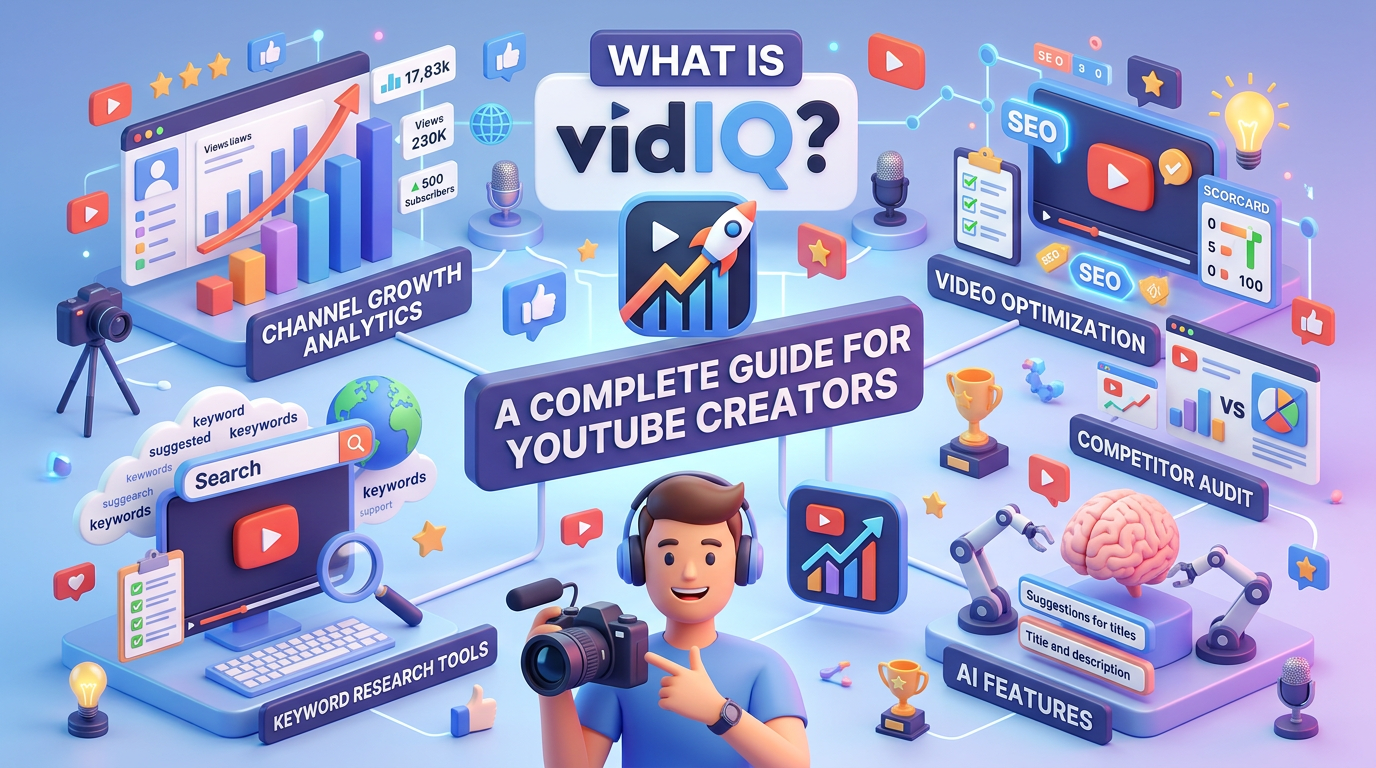
vidIQ provides tools such as keyword research, AI-powered content assistance, video ideas, channel analytics, competitor analysis, and optimization features.
It can be useful for beginners starting a YouTube channel as well as experienced creators looking for additional data to support their content strategy.
Why Do YouTube Creators Use vidIQ?
Creating a good YouTube video involves more than recording and uploading.
Creators need to think about:
- What topics people are searching for
- How competitive a keyword is
- How to write an effective title
- How to structure video descriptions
- What content competitors are publishing
- Which videos are performing well
- What topics could be worth exploring next
vidIQ brings several of these research and optimization tools together in one platform.
The goal is not to guarantee views, but to give creators additional information that can help them make better content decisions.
Key vidIQ Features
1. Keyword Research
Keyword research can help creators understand what people are searching for on YouTube.
vidIQ provides data and insights around keywords, including metrics such as search volume and competition.
For example, if you want to create a video about online income, you could research related searches before deciding on the exact topic and wording of your video.
Keyword research can help answer questions such as:
- What are people searching for?
- Which keywords have higher search interest?
- How competitive is a particular keyword?
- What related topics could I create videos about?
However, keyword data should be treated as a research input rather than a guarantee of future video performance.
2. AI Title and Description Assistance
Coming up with an engaging YouTube title can take time.
vidIQ includes AI-powered tools that can assist creators with generating and improving content ideas, titles, descriptions, and other elements of the creative workflow.
AI-generated suggestions should still be reviewed and edited by the creator so that the final content accurately represents the video.
A strong title should be:
- Relevant to the actual video
- Clear and understandable
- Interesting without being misleading
- Appropriate for the target audience
3. Daily Video Ideas
One of the biggest challenges for creators is deciding what to post next.
vidIQ provides content ideas and topic suggestions that can help creators explore potential video opportunities.
This can be particularly useful when you are experiencing creator’s block or when you want to build a consistent content calendar.
Instead of starting from a blank page every time, creators can use research tools to identify topics and then develop them into their own original content.
4. Competitor Analysis
Competitor analysis allows creators to study channels operating in similar niches.
You can examine the types of videos other creators are publishing and identify patterns in their content strategy.
For example, you might look at:
- Popular video topics
- Frequently used content formats
- Titles and keywords
- Upload patterns
- Videos receiving significant engagement
The purpose should be learning from market trends rather than copying another creator’s content.
How Does vidIQ Work?
Getting started with vidIQ generally involves connecting the tool with your YouTube workflow.
Step 1: Create or Connect Your Account
Sign up for vidIQ and connect it with your YouTube channel where required.
Always review the permissions requested by any third-party service before connecting it to your account.
Step 2: Use the Browser Extension
vidIQ offers browser-based tools that can surface additional information while you are researching YouTube.
This can make it easier to evaluate topics, keywords, and videos without constantly switching between different platforms.
Step 3: Analyze Your Channel
Use available analytics and channel insights to understand how your content is performing.
Look for patterns such as:
- Which topics attract viewers
- Which videos generate engagement
- Which formats perform better
- Where viewers may be dropping off
- Which content deserves further development
Step 4: Optimize Before Publishing
Before publishing a video, review important elements such as:
- Video title
- Description
- Keywords
- Topic relevance
- Thumbnail
- Overall content structure
Optimization should support the actual content rather than replacing content quality.
How Can vidIQ Help Creators?
Save Research Time
Content research can take hours, particularly when you are managing a channel alongside a job, business, or other responsibilities.
Research and AI-assisted tools can reduce some of the manual work involved in generating ideas and evaluating topics.
Understand Your Audience
Analytics and keyword research can provide insights into what your potential audience is interested in.
This can help creators develop content around relevant questions, topics, and search behavior.
Improve Titles and Thumbnails
Your title and thumbnail are important parts of how viewers discover and evaluate a video.
Research tools can help you experiment with different approaches and learn from the performance of your published content.
Build a Content Strategy
Instead of publishing random videos, creators can use research data to build a more structured content plan.
For example:
Keyword research → Topic selection → Content creation → Title & thumbnail → Publishing → Analytics → Improvement
This creates a repeatable workflow for YouTube content development.
Does vidIQ Guarantee YouTube Views or Subscribers?
No.
Using vidIQ does not guarantee a specific number of views, subscribers, watch hours, or revenue.
YouTube performance depends on many factors, including:
- Content quality
- Audience interest
- Competition
- Topic demand
- Click-through rate
- Viewer retention
- Watch time
- Engagement
- Consistency
- YouTube’s recommendation and search systems
A keyword with high search volume does not automatically mean that a video will rank or become viral.
Tools such as vidIQ should therefore be viewed as research and optimization aids, not guaranteed growth solutions.
Is vidIQ Free?
vidIQ offers free functionality as well as paid plans with additional features. The exact features and plan availability can change over time, so creators should check the current pricing and feature list before subscribing.
For someone just starting out, it can make sense to understand the available free tools first and upgrade only if the additional features provide value for their workflow.
Who Can Use vidIQ?
vidIQ can be relevant to different types of YouTube creators, including:
- Beginners starting a YouTube channel
- Freelance content creators
- Educational channels
- Business and marketing channels
- Personal brands
- Gaming creators
- Tech creators
- Finance and business content creators
- Coaches and consultants
- Short-form and long-form video creators
The usefulness of any particular feature depends on the creator’s niche, audience, content format, and objectives.
vidIQ vs. Guesswork: Why Data Matters
Imagine you have three possible video topics.
Without research, you may simply choose the topic that sounds interesting to you.
With keyword and audience research, you can investigate whether people are searching for related topics and how competitive those searches may be.
That does not tell you exactly which video will succeed.
Instead, it gives you more information before you invest time in creating the video.
This is where creator analytics tools can become useful.
Tips for Using vidIQ Effectively
Don’t Chase Keywords Alone
A keyword may have strong search interest but still be irrelevant to your audience.
Choose topics that fit your channel and the people you want to reach.
Don’t Copy Competitors
Competitor research can reveal trends and content gaps, but your videos should remain original.
Use research to understand the market rather than duplicate another creator’s work.
Focus on Viewer Value
Optimization can help people discover your content, but viewers ultimately decide whether they continue watching.
Make the actual video useful, entertaining, educational, or otherwise valuable to your target audience.
Test and Learn
YouTube growth is often an iterative process.
Publish, analyze the results, identify patterns, and improve your next video.
Combine Data With Creativity
Analytics can tell you what people may be interested in, but creativity determines how you turn that interest into a compelling video.
The strongest workflow combines data + creativity + audience understanding + consistent execution.
Frequently Asked Questions About vidIQ
What is vidIQ used for?
vidIQ is used by YouTube creators for keyword research, content ideas, analytics, competitor research, and video optimization.
Is vidIQ a YouTube growth tool?
It can support a YouTube growth strategy by providing research and optimization tools, but it does not guarantee channel growth, views, or subscribers.
Is vidIQ free?
vidIQ provides free features along with paid plans. Features and pricing may change, so check the current plan information before subscribing.
Can vidIQ generate YouTube video ideas?
Yes, vidIQ includes tools designed to help creators generate and explore potential video ideas.
Can vidIQ help with YouTube keywords?
Yes. Keyword research is one of the core areas of vidIQ, with insights intended to help creators evaluate search interest and competition.
Can vidIQ analyze competitors?
Yes. Its creator tools include features that can help users research channels and content within their niche.
Does vidIQ guarantee viral videos?
No. No legitimate analytics or optimization tool can guarantee that a particular YouTube video will go viral.
Is vidIQ useful for beginners?
It can be useful for beginners who want structured assistance with topic research, keywords, content ideas, and YouTube optimization.
Final Thoughts
vidIQ can be a useful addition to a YouTube creator’s workflow by bringing together keyword research, content ideas, AI assistance, analytics, and competitor research.
The important point is to use these tools as a source of information rather than treating their recommendations as guaranteed formulas for success.
A sustainable YouTube strategy still depends on creating content that people genuinely want to watch, presenting it clearly, learning from analytics, and consistently improving your approach.
In simple terms: vidIQ can help you make more informed YouTube decisions—but the content and the creator still matter most.

Leave a Reply